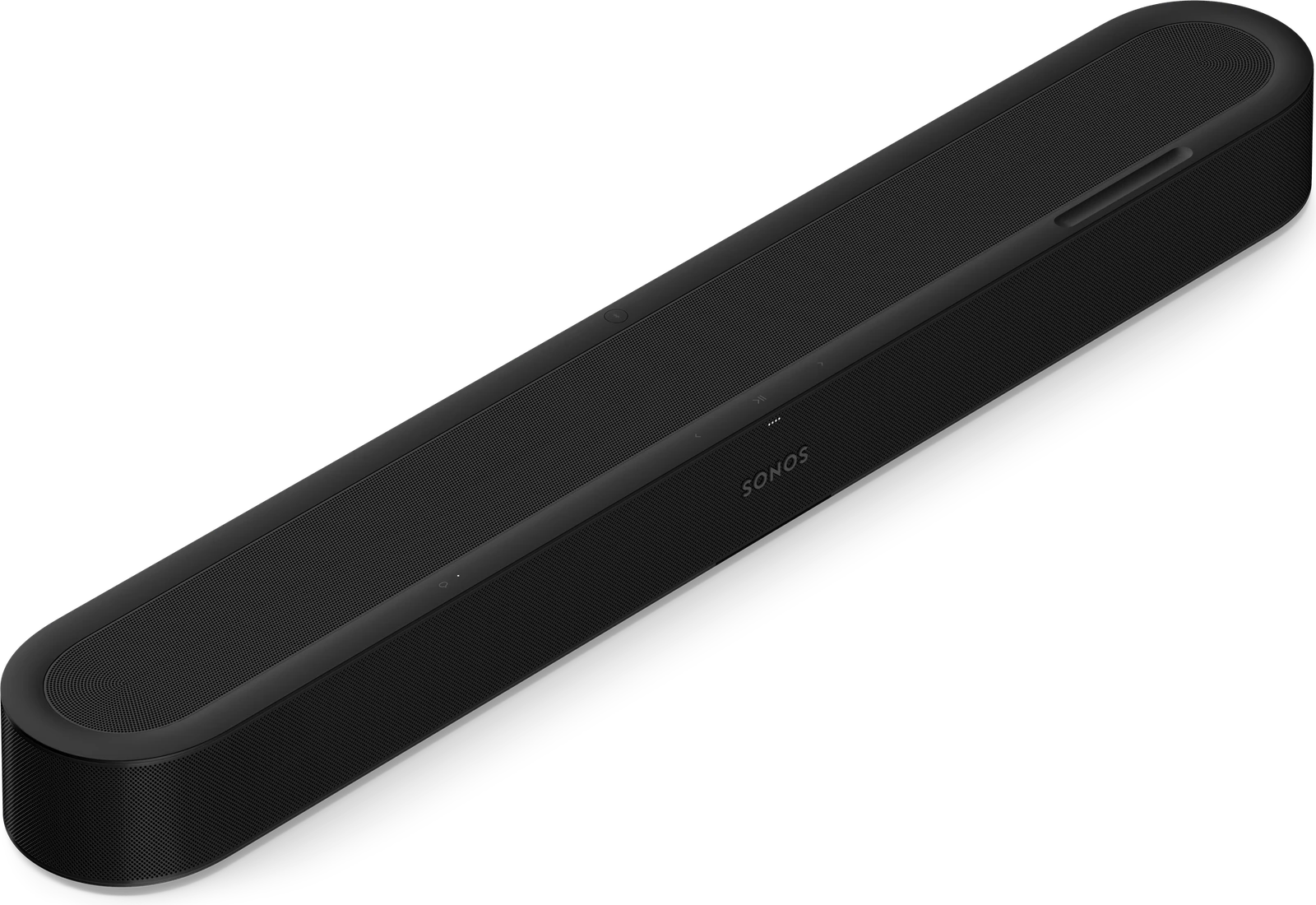
Sonos Beam Ultra
CA$949.00 each
Request a quote
Or call (613) 830-6787
The add to cart button will appear once you select the values above
Beam Ultra is a compact Dolby Atmos soundbar with upward-firing drivers for 7.1.2 sound.
AI Speech Enhancement keeps dialogue clear, and it can be expanded later with a Sonos subwoofer and surround speakers.
It connects over HDMI eARC and streams over WiFi, Bluetooth and Apple AirPlay 2.
Call (613) 830-6787 or request a quote.
| Specifications | |
|---|---|
| Amplifiers | Nine Class-D digital amplifiers tuned to the soundbar’s acoustic architecture. |
| Tweeters | Five tweeters faithfully reproduce high- and mid-range frequencies. The forward-firing mid tweeter provides a smooth center image. Two side-firing horn-loaded mid tweeters create stereo separation. Two upward-firing tweeters loaded into a directional horn support spatial audio with Dolby Atmos. |
| Woofers | Four low-profile woofers deliver powerful bass. |
| Microphones | Far-field microphone array uses beamforming and multichannel echo cancellation for voice control, Trueplay tuning, and connecting Sonos Play or Move 2 surrounds. Toggle off the mic switch to disconnect. |
| Adjustable EQ | Use the Sonos app to adjust bass, treble and loudness. |
| AI Speech Enhancement | AI detects human voices to improve dialogue clarity. Choose from four levels of Speech Enhancement in the Sonos app. |
| Night Sound | Reduces the intensity of loud sounds and enhances quieter sounds. Enable in the Sonos app. |
| Home Theatre Audio Formats | Dolby Atmos,* Dolby Atmos via Dolby Digital Plus, Stereo PCM, Dolby Digital, Dolby Digital Plus, Dolby TrueHD,* Dolby Atmos via Dolby TrueHD,* Multichannel PCM,* Dolby Multichannel PCM* and DTS Digital Surround.**; The Sonos app’s Now Playing screen displays the audio format being decoded. |
| Dolby Atmos Music | Dedicated upward-firing drivers support Dolby Atmos Music for spatial audio playback. |
| TV Audio Swap | Swap TV audio between the soundbar and Sonos headphones. |
| Simulated Overhead Sound | Optimizes overhead sound effects for when the top of the product is obstructed. Select your setup in the Sonos app. |
| Dimensions | Height: 2.56 in (65 mm); Width: 29.53 in (750 mm); Depth: 4.13 in (105 mm) |
| Weight | 6.35 lbs (2.88 kg) |
| Colours | Black, White |
| Finish | Matte |
| Mounting | M5 x 0.8mm thread pitch L6.5mm |
| LEDs | Lights on the product indicate connection, microphone activity, and mute status.; Learn more |
| Touch | Use the capacitive touch controls to play, pause, skip, replay, adjust the volume, turn off voice assistant, and group or ungroup Sonos products. |
| Bluetooth Button | Press to pair a Bluetooth device. |
| Mic Switch | Toggle off the switch on the back of the product to disconnect power to the microphones. |
| Wireless Networking Interface | Compatible with WiFi 6. Connect to Wi-Fi with any 802.11a/b/g/n/ac/ax 2.4 GHz/5 GHz broadcast-capable router. |
| HDMI eARC | Connect to your TV's HDMI eARC/ARC port with the included HDMI cable. Optical adapter sold separately. |
| Bluetooth | Bluetooth 5.3 supports audio streaming from any Bluetooth-enabled device. |
| Voltage | 100-240V 50/60Hz internal power supply |
| CPU | Quad Core; 4xA55 1.9GHz |
| Voice | Works with Sonos Voice Control. |
| Apple AirPlay 2 | Works with AirPlay 2 on Apple devices iOS 11.4 and higher.; Learn more |
| USB-C | Connect an audio source using a 3.5 mm auxiliary cable and the Sonos Line-In Adapter. Connect your router with an Ethernet cable and the Sonos Combo Adapter (all accessories sold separately). |
| TV Compatibility | Not compatible with CCFL-backlit TVs (manufactured 2004-2012) |
| WiFi | Internet connection |