Never Come Home to a Dark House: Arrival and Away Lighting for Ottawa Winters

In December the sun goes down in Ottawa at about 4:20 in the afternoon. Most people aren't home yet. So you pull in the driveway in the dark, find the door by feel, and walk into a black house with your arms full.
It's one of the easiest things to fix in a house, and you notice it every single day. Here's how we set up lighting so it's on before you are, and how the same system makes the house look lived-in when you're away.
Stop using a fixed time for outside lights
A timer set to 5:00 PM is wrong most of the year. In June it burns for hours in daylight. In December it leaves you in the dark for 40 minutes. Photocells are better but they get fooled. Snow on the sensor, a porch light shining back on it, or a dirty lens and it does what it wants.
A proper lighting control system uses an astronomical timeclock. It knows your location and the date, so it calculates sunrise and sunset every day. You set "porch and driveway lights on at sunset, down to 30% at 11 PM, off at sunrise" once and never touch it again. Lutron RadioRA 3 and HomeWorks do this, and so does Control4. The RadioRA 3 processor even keeps its timeclock on a backup battery, so a power failure doesn't reset your schedule.
An arrival scene that turns on the right lights
Outside lights are half the job. The other half is walking in. We like to set up an arrival scene: front entry, hallway, kitchen pot lights at a comfortable level, maybe the lamps in the family room. Not every light in the house. Just a path to where you actually go when you come home.
What triggers it depends on the system:
- A keypad by the door. One button, labelled "Welcome". The simplest and the most reliable.
- The garage door or the lock. With Control4, opening the garage or entering your code on a connected lock after dark can run the scene. You can make it only happen after sunset so it doesn't fire at noon.
- Disarming the alarm. If your security panel is tied into Control4, the disarm can be the trigger.
- Your phone's location. The Lutron app supports geofencing with a RadioRA 3 processor. When your phone gets near home, the lights come on.
I'll be honest about geofencing. It's nice when it works, but it depends on your phone, its location settings and the app running properly. In a two-car family, it also has to know whose phone counts. For the front door, I trust a lock, a garage door or a keypad more than a phone. We often use geofencing as a backup, not the main trigger.
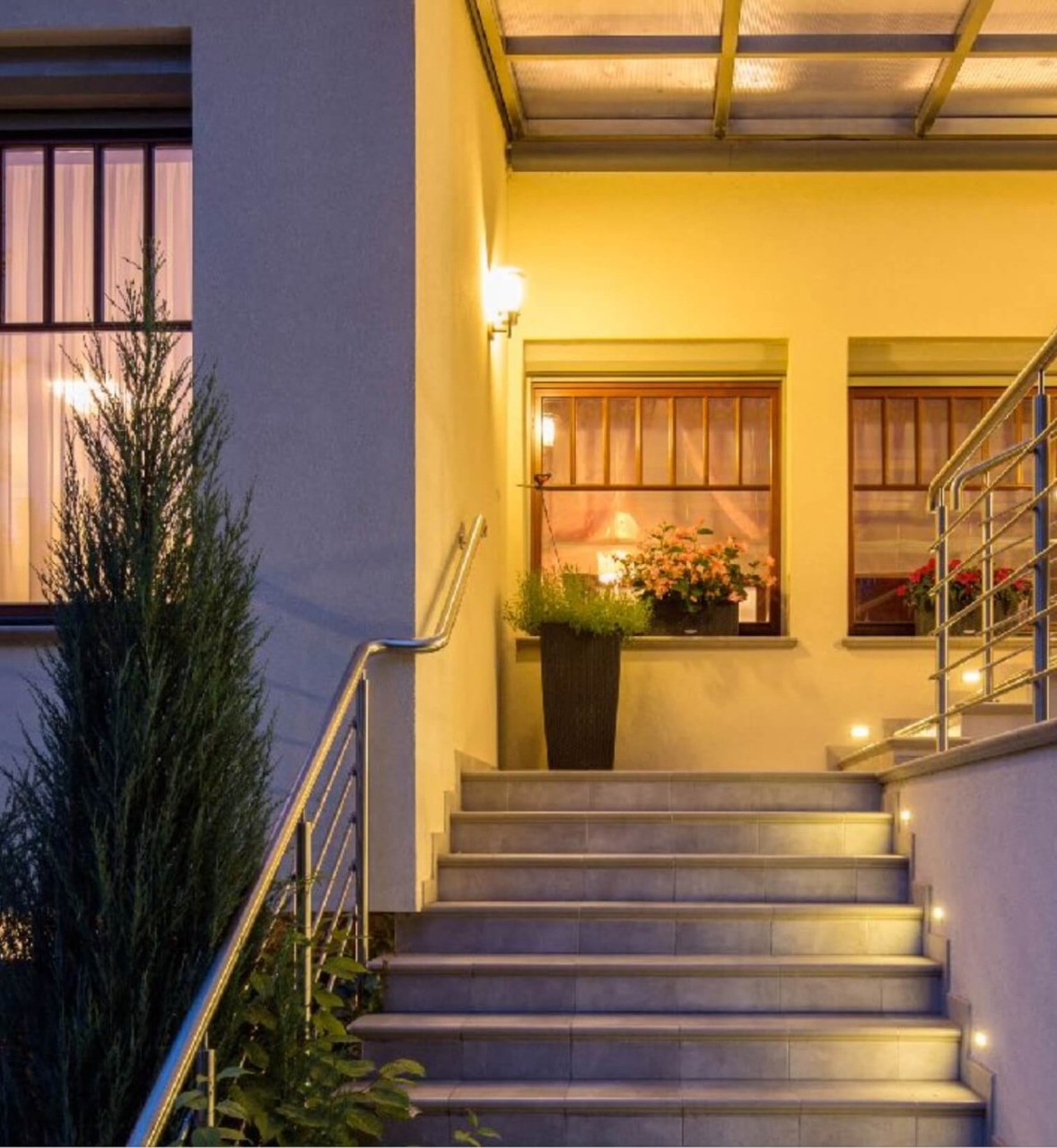
Making the house look lived-in when you're away
A house that goes dark at 4:20 every night for two weeks in January tells people something. So does a house where the same lamp comes on at exactly 6:00 PM every night.
RadioRA 3 has a Vacation Mode for this. Lutron describes it as a randomized cycle of lights and shades that the system builds on its own to mimic how you normally live. You turn it on when you leave and off when you get back. We usually put that on a keypad button by the door or on a "Leaving" scene, so nobody has to dig through an app at the airport.
If you have Lutron Caséta, the app has a similar feature called Smart Away. It turns the lights you pick on and off at random through the evening. Lutron's own tip is a good one: don't include your outside lights, or Smart Away will switch them off too. Leave those on the sunset schedule.
A few things make away lighting more convincing:
- Use rooms people can see from the street. Kitchen, family room, entry, an upstairs hallway, a bedroom.
- Add shades if you have them. Closing them in the evening looks like someone is home. Our motorized shading page shows the Lutron options.
- Keep a few lights low late at night, the way a real house does.
Lighting is not a security system
Good lighting helps. It doesn't replace cameras, locks and an alarm. What it does is make the house look normal and give your cameras something to see at night. If you're planning cameras too, our post on wired vs wireless security cameras covers what we recommend.
It's also worth knowing that a smart lighting system keeps working when your internet goes down. Keypads, timeclocks and scenes all run on the local processor. You only lose remote control from the app until the internet is back. If we monitor your system, we see problems like an offline processor quickly, which our remote monitoring post explains.
What it takes in an existing home
You don't need to open walls for most of this. For an existing house we use wireless Lutron dimmers and switches that replace the switches you have now. RadioRA 3 is our usual pick for a whole house. Caséta works for a few rooms on a tighter budget. For a new build or a big renovation, HomeWorks is worth a look, and our RadioRA 3 vs HomeWorks post compares them.
Before we program anything, we walk the house with you. Which door do you use in winter? Which lights do you turn on first? Who gets home first? The answers decide the scenes. That conversation is most of the work, and it's why the system feels right afterwards.
If you want the bigger picture on lighting, start with our lighting control page or our smart home automation page.
Want lights that are on before you are?
Call us at (613) 830-6787 or send us a message. Tell us how you come and go, and we'll tell you what it would take in your house. Or drop by the showroom at 1344 Youville Drive in Orléans.
Frequently Asked Questions
What is an astronomical timeclock?
It's a schedule that calculates sunrise and sunset for your location every day. Lights can turn on at sunset, or a set time before or after it, all year without you changing any times. Lutron RadioRA 3, HomeWorks and Control4 all support it.
Can my lights turn on automatically when I get home?
Yes. The most reliable triggers are a keypad by the door, the garage door opener or a connected door lock. A RadioRA 3 processor also supports geofencing from the Lutron app, which turns lights on as your phone gets close to home.
What does Lutron Vacation Mode do?
On RadioRA 3, Vacation Mode runs lights and shades in a randomized cycle that the system creates to mimic your normal habits, so the house looks lived-in while you're away. You turn it on when you leave and off when you return.
Should outdoor lights be part of away mode?
Usually not. Keep exterior lights on a sunset schedule so they stay on every evening. Lutron recommends leaving outside lights out of Caséta Smart Away so they don't get switched off.
Will my lighting schedule still work if the internet goes down?
Yes. Timeclocks, scenes and keypads run on the local Lutron or Control4 processor. You lose remote access from the app until the internet is back, but the house keeps running on schedule.
Do I need new wiring for automatic lighting in an existing home?
Usually not. Wireless Lutron dimmers and switches replace your existing switches in the same wallboxes, so most homes don't need walls opened.
